Printing Your Fishing License After Buying It Online
There’s nothing quite like the excitement of finally hitting that "purchase" button for your South Carolina fishing license online. You’ve navigated the Go Outdoors Online License Portal Explained, picked out the right one – maybe it was your annual freshwater, or a short-term saltwater for a vacation trip – and now you’re ready to go! But then a little thought creeps in: "Do I actually need to print this out, or is my phone good enough?" This guide is here to walk you through the process of printing your fishing license after you've bought it online, ensuring you're always prepared and compliant out on the water.
The Indisputable Need for Proof: Why a Printed License Matters
Let's be real, in our increasingly digital world, it’s tempting to think a screenshot or a PDF on your phone is all you need. And sometimes, it absolutely can be! But when it comes to fishing licenses in South Carolina, relying solely on your mobile device can leave you in a bit of a pickle. A physical, printed copy offers a layer of reliability and legal clarity that can save you a whole lot of hassle and potential fines.
Beyond the Digital Screen: Ranger Checkpoints
Imagine this scenario: you're out on Lake Murray, the fish are biting, and you're having a fantastic time. Suddenly, a SCDNR (South Carolina Department of Natural Resources) boat pulls up, and a friendly but firm ranger asks to see your license. You reach for your phone, only to realize the battery is dead, or worse, you're in a remote cove with absolutely no signal to pull up your email confirmation. Now what? These aren't hypothetical situations; they happen all the time. Rangers need to quickly and easily verify your credentials. While they might have access to a database, that’s not always a guaranteed option on the water, especially in less accessible areas. They can and will ask to see your physical proof, and having it readily available demonstrates you're a responsible angler. Think of it as your passport to the fishing grounds – you wouldn't travel internationally without a physical passport, right?
Peace of Mind and Practicality
Beyond the legal aspect, a printed license simply offers unparalleled peace of mind. Your phone is a fragile, expensive piece of equipment that's not exactly designed for the rigors of a day on the water. It can get dropped, scratched, waterlogged, or simply run out of juice at the most inconvenient moment. Having a paper copy tucked away in a tackle box, a waterproof wallet, or even laminated and attached to your vest means one less thing to worry about. You're out there to relax and enjoy the fishing, not constantly fret about your phone's battery life or potential water damage. This practical approach frees you up to focus on the tug on your line, the beauty of the South Carolina landscape, and making those fishing memories without unnecessary stress. It also simplifies things if you're fishing with family, especially if you're managing Fishing License Rules for Kids in South Carolina, as you can keep all licenses together in one spot.
Navigating Go Outdoors South Carolina: Your Printing Pathway
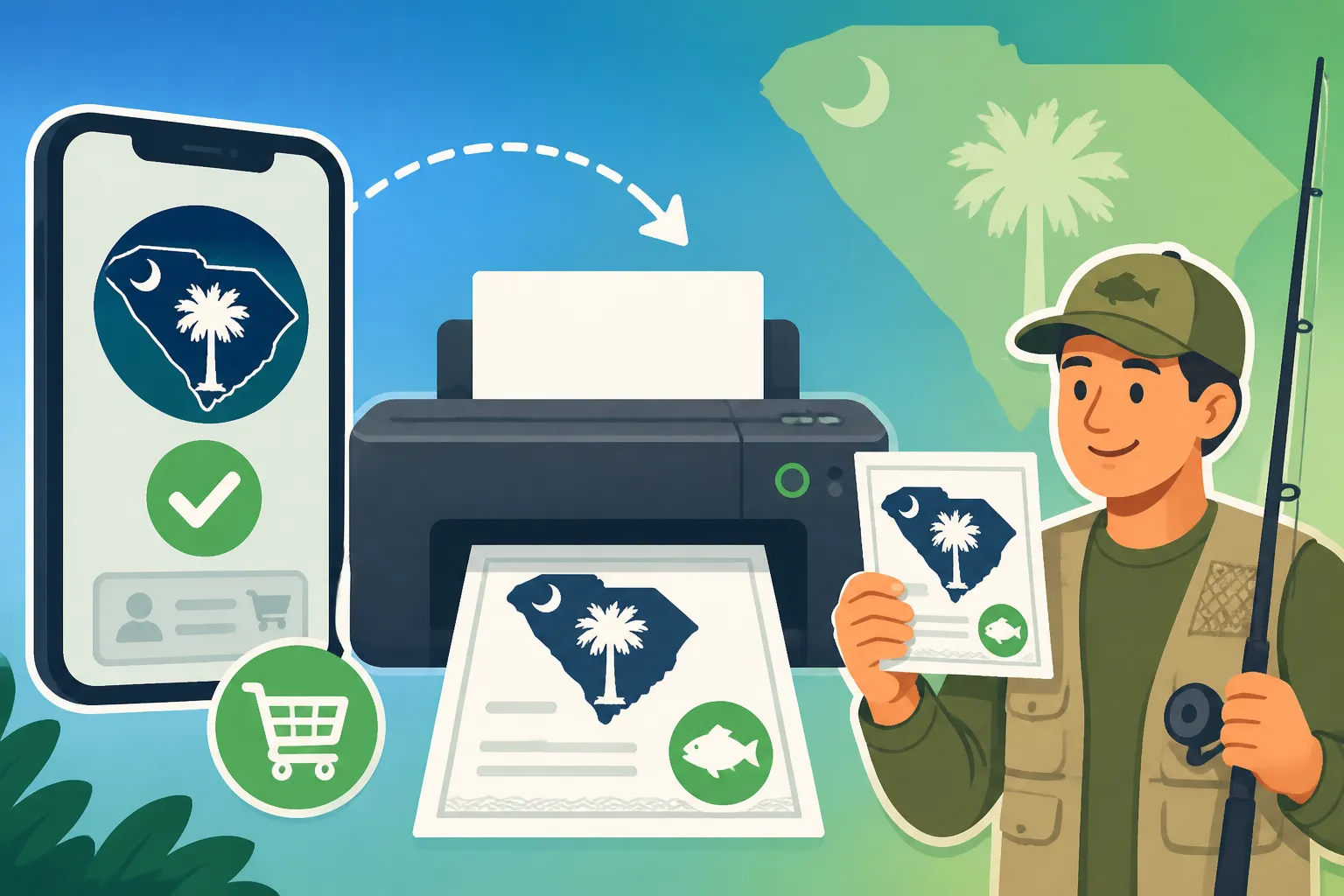
Alright, so you're convinced: a printed license is the way to go. Now, how do you actually get that digital purchase onto a piece of paper? The process is straightforward through the South Carolina Department of Natural Resources (SCDNR) online portal, often referred to as Go Outdoors South Carolina.
Locating Your Purchased License Online
First things first, you’ll need to head back to the Go Outdoors South Carolina website where you made your purchase. If you don’t remember the exact URL, a quick search for "SC DNR Go Outdoors" will get you there.
- Log In: Find the "Login" or "My Account" section. You'll use the credentials you created when you first set up your account to How to Buy a Fishing License on Go Outdoors South Carolina. If you've forgotten your username or password, there are usually recovery options available – don't panic!
- Access Your Account Dashboard: Once logged in, you'll typically land on your personal dashboard or profile page. This is your hub for all things related to your hunting and fishing licenses.
- Find "My Licenses" or "Purchase History": Look for a tab or link that says "My Licenses," "View Licenses," or "Purchase History." This section will display all the licenses you currently hold or have purchased in the past.
- Select the License to Print: Identify the specific fishing license you wish to print. It will usually be listed with its type (e.g., Annual Freshwater, 14-Day Saltwater), purchase date, and expiration date.
- Look for the "Print License" Option: Next to or below the license details, there should be a clear button or link labeled "Print License" or "Print Document." Clicking this will usually open a PDF version of your official license in a new window or tab.
This PDF is your official document. It will contain all the necessary information: your name, address, license number, type of license, effective dates, and any other relevant details required by the state. This is what the SCDNR ranger will expect to see if they perform a check on the water.
Essential Printing Tips for a Clear Copy
Now that you have the PDF open, printing it might seem like the easiest part, but a few considerations can make a big difference in the durability and legibility of your copy.
- Printer Settings: Before hitting print, double-check your printer settings. Ensure it's set to print at "actual size" or "100% scale," rather than "fit to page." This prevents important details from being shrunk or cut off. Printing in black and white is perfectly acceptable, but if you have a color printer, go for it – sometimes the official seal or text might have a subtle color that makes it easier to distinguish.
- Paper Quality: While standard printer paper works, consider using a slightly heavier stock, like 24 lb or 28 lb paper, if you have it. It's more resistant to tears and general wear and tear from being handled. Cardstock is even better if you want a truly durable, stiff copy.
- Legibility Check: After printing, quickly glance over your license. Are all the numbers, dates, and your name perfectly clear and readable? Are there any ink smudges or missing lines? If it’s hard for you to read, it will be even harder for a ranger, and you definitely don't want any ambiguity if you're asked to present it. If it's not clear, don't hesitate to print another copy. It's much easier to do it right the first time at home than to deal with issues on the water.
What If You Don't Have a Printer? Alternative Solutions
Not everyone has a home printer these days, and that's totally fine! Thankfully, there are several easy ways to get your license printed without needing to buy a new machine.
- Public Libraries: Your local public library is an excellent resource. Most libraries offer public computer access and printing services for a small fee. You can log into your Go Outdoors SC account, access the PDF, and print it right there. It’s usually very affordable, often just a few cents per page.
- Print Shops and Office Supply Stores: Places like FedEx Office, Staples, or even local independent print shops are equipped to handle this. You can usually email the PDF to yourself, then access your email on one of their computers or even use their self-service printing stations directly from a USB drive or cloud storage. This might be a slightly more expensive option, but it's reliable.
- Ask a Friend or Neighbor: Don't underestimate the kindness of friends, family, or neighbors! Most people are happy to help with a quick print job. Just make sure to send them the PDF securely.
- Consider a Small Home Printer (for frequent anglers): If you find yourself printing documents often, or if you're a really avid angler who renews licenses, prints maps, or reads regulations regularly, investing in a small, affordable printer might be worthwhile. Many reliable models are available on
Amazonfor under $100, which can pay for itself in convenience over time.
Beyond the Printer: Safeguarding Your Fishing Credentials
Once you've got that crisp, printed license in your hand, your job isn't quite done. The next step is to ensure it stays in good condition and is readily accessible when you need it most. After all, a soggy, illegible license is almost as bad as no license at all!
The Digital Dilemma: When a Digital Copy Might Suffice (and When It Won't)
South Carolina, like many states, has made strides in accepting digital proof of licenses. In many cases, showing your license on your smartphone can be accepted by an SCDNR officer, especially if you have it saved as a PDF on your device rather than relying on an internet connection to pull it up. However, this is where that "might" comes in. The crucial phrase is "at the discretion of the officer." If your phone is dead, the screen is cracked, the file won't open, or there's simply a technical glitch, that officer has every right to ask for a physical copy.
Furthermore, consider situations where you're fishing in a group. If one person is holding all the digital licenses on their phone, and they step away or their phone dies, what happens to the rest of the party? It's a risk you might not want to take, especially when the Penalties for Fishing Without a License in South Carolina can involve fines. While the convenience of a digital license is undeniable, especially for quick checks, a physical backup is your best defense against unforeseen circumstances. This balance is key when considering a Digital Fishing License vs Printed Paper Copy.
Lamination and Protection: Extending Your License's Lifespan
Let's face it, fishing environments are tough on paper. Water, humidity, mud, bait, and general grime are all enemies of your freshly printed license. To truly safeguard your document, consider these protection methods:
- Lamination: This is arguably the gold standard for protecting a paper license. A simple, inexpensive home laminator (you can find great options on
Amazon) or a visit to a local office supply store can seal your license in a waterproof, tear-resistant plastic sleeve. This makes it incredibly durable and easy to clean if it gets dirty. Just make sure you don't laminate over any part that might need to be signed or validated later, though most SC licenses are ready to go once printed. - Waterproof Wallet or Pouch: If lamination isn't an option, a small, clear waterproof wallet or dry bag designed for cards or phones can work wonders. These are easy to slip into a pocket, tackle box, or boat console. Many come with lanyards so you can wear them around your neck for easy access. Again,
Amazonhas a plethora of choices for these handy items. - Ziploc Bag: For a quick, no-cost solution, a simple heavy-duty Ziploc bag can offer surprising protection against splashes and moisture. It’s not as robust as lamination, but it’s far better than nothing at all.
Keeping your license protected ensures it remains legible and intact for the entire season, saving you the headache of needing a Replacing a Lost or Stolen Fishing License or dealing with an unreadable document.
When All Else Fails: Lost, Damaged, or Forgotten Licenses
Even with the best intentions and protection, things happen. Licenses get lost, damaged, or simply forgotten on the kitchen table in the rush to get out the door. Don't despair!
- Re-Print Online: The beauty of the Go Outdoors SC system is that your license information is stored digitally. If your printed copy is lost or damaged, you can always log back into your account and print another copy. There's no limit to how many times you can print your valid license from your account.
- Check the Go Outdoors SC App: The SCDNR offers a mobile app for Go Outdoors SC. If you have it downloaded and logged in, your licenses should be accessible there, offering another digital backup that might work even without cellular service if the license is cached.
- Contact SCDNR: If you're really in a bind and can't access your license online for some reason (e.g., account issues), you can always contact the South Carolina Department of Natural Resources directly. They can help you retrieve your license information or guide you through the process of getting a replacement. Their contact information is typically available on their main website.
Remember, the goal is always to have valid, accessible proof. Having multiple avenues to retrieve or display your license ensures you're never caught off guard.
Crucial Considerations for Every Angler
Beyond just printing and protecting your license, there are a few other important details that every angler in South Carolina should keep in mind to ensure a smooth, enjoyable, and regulation-compliant fishing experience. Understanding these nuances can prevent unnecessary headaches and keep you focused on the catch.
Understanding South Carolina's Enforcement Expectations
When an SCDNR ranger approaches you, they're looking for clear, unambiguous proof that you're legally allowed to fish. This isn't about being confrontational; it's about enforcing conservation laws and ensuring fairness among all anglers. What do they specifically look for on your printed license?
- Clear Identification: Your full legal name should be prominently displayed and match your other identification (like a driver's license), should they ask for it.
- Valid License Number: Each license has a unique identification number. This is crucial for their records and verification.
- Correct License Type: Is it a freshwater license, a saltwater license, or a combination? Does it cover the water body you are currently fishing? The South Carolina Fishing License Guide can help you understand the differences.
- Effective and Expiration Dates: The ranger will quickly check that your license is current and hasn't expired. This is why it’s a good idea to know your South Carolina Annual Fishing License Price Breakdown and renewal dates.
- Proof of Residency (if applicable): If you purchased a resident license, which is generally more affordable, be prepared to show proof of South Carolina residency if asked. This usually means a valid SC driver's license or state ID. Understanding What Counts as Proof of Residency for a Resident License? is vital.
It’s about making their job easy and demonstrating your respect for the rules. An unreadable, torn, or expired license can raise red flags and lead to a more in-depth inquiry, which no one wants on a peaceful fishing trip. This ties directly into how Can Rangers Check Your Fishing License in South Carolina? effectively.
Don't Risk the Repercussions: The Cost of Non-Compliance
It's easy to think, "Oh, I'll just explain I bought it online, they'll understand." And while some officers might be lenient, especially if you can pull up the digital version quickly, it's not a guarantee. Fishing without a valid, accessible license is a violation of state law, and the consequences are real.
- Fines: The most common repercussion is a monetary fine. These fines can vary depending on the severity of the offense and whether it's a first-time violation, but they can quickly add up and far exceed the cost of the license itself. You can learn more about Penalties for Fishing Without a License in South Carolina.
- Court Appearances: In some cases, especially for repeat offenders or more serious violations, you might be required to appear in court. This means taking time off work, travel, and the general stress of legal proceedings.
- Confiscation of Gear: While less common for a simple license violation, rangers do have the authority to confiscate fishing gear. Imagine losing your favorite rod and reel because you forgot to print a piece of paper!
- Loss of Future Privileges: Serious or repeated offenses could potentially lead to the suspension of your fishing privileges for a period of time, which would be a huge bummer for any avid angler.
It truly is a situation where an ounce of prevention (a printed license!) is worth a pound of cure (avoiding fines and hassle). Ensuring you meet all South Carolina Fishing License Requirements in South Carolina is a core responsibility.
Keeping Your Information Current
Finally, while not directly related to printing, it’s a good practice to periodically log into your Go Outdoors SC account and verify that all your personal information is current. Has your address changed? Is your contact information up-to-date? This ensures that any communications from SCDNR reach you and that your license details are always accurate. An out-of-date address on your license, even if valid, can sometimes lead to questions, so a quick check now and then is a smart move.
| Feature | Digital License (Phone/App) | Printed License (Paper) |
|---|---|---|
| Accessibility | Instant access if phone works/charged | Accessible as long as you carry it |
| Durability | Dependent on phone (fragile, water-sensitive) | Paper can tear/get wet, but can be laminated for protection |
| Power Needs | Requires charged phone battery | No power needed |
| Signal Needs | May require signal if not saved offline | No signal needed |
| Legibility | Screen brightness/damage can affect visibility | Clarity depends on printer quality and paper stock |
| Officer Discretion | Often accepted, but ultimately up to the officer | Universally accepted as official proof |
| Backup | Can be re-downloaded/re-printed from online portal | Can be re-printed from online portal if lost/damaged |
| Cost | Free (after purchase) | Cost of paper/ink, or small fee at print shop/library |
| Security | Password-protected account, but phone can be lost/stolen | Physical item, can be lost; best kept in a secure wallet |
Disclaimer
The information provided in this guide is for general informational purposes only and does not constitute legal advice. Fishing regulations in South Carolina can change, and it is always the angler's responsibility to consult the most current South Carolina Department of Natural Resources (SCDNR) regulations before fishing.