Go Outdoors Online License Portal Explained
There’s nothing quite like the sudden urge to hit the water, only to realize your fishing license expired last month, or worse, you never got one! That last-minute scramble to find a tackle shop or a sporting goods store before they close can be a real headache. This guide is all about cutting through that frustration by walking you through the incredibly convenient Go Outdoors South Carolina online license portal, making sure you spend less time on paperwork and more time with a line in the water.
Why the Go Outdoors Portal is a Game-Changer for South Carolina Anglers
For years, getting a fishing license often meant planning a separate trip to a specific vendor, navigating their business hours, and sometimes even filling out paper forms by hand. It was a necessary evil, but definitely a chore that could eat into valuable fishing time. Thankfully, the South Carolina Department of Natural Resources (SCDNR) recognized this hassle and introduced a solution that has completely streamlined the process: the Go Outdoors South Carolina online license portal.
The Frustration of Traditional License Buying
Let's be real, who among us hasn't been there? You've got your gear packed, the cooler stocked, and you're just about to head out the door when that nagging thought hits you: "Is my license still valid?" Then comes the frantic search for a nearby authorized dealer, hoping they're open, and praying there isn't a long line of other eager anglers or hunters ahead of you. It's a momentum killer, plain and simple. Imagine driving all the way to a public boat ramp on Lake Murray, only to remember you forgot your license, and now you have to backtrack or abandon your trip. It's enough to make you want to stay home! The old system often meant sacrificing precious daylight hours just to complete a simple administrative task, and nobody wants that when the fish are biting.
Convenience at Your Fingertips: Anytime, Anywhere Access
This is where the Go Outdoors South Carolina portal truly shines. It transforms that frustrating scramble into a simple, quick transaction you can complete from the comfort of your couch, your office, or even at the boat ramp right before you launch. The portal is available 24 hours a day, 7 days a week, meaning you're no longer bound by store hours or geographical limitations. Whether it's 3 AM and you're planning an early morning trip, or you're on vacation and realize you need a short-term license for your impromptu fishing excursion, the power is literally in your hands. All you need is an internet connection and a device – a computer, tablet, or even your smartphone. This accessibility is a game-changer, giving you back those valuable minutes that used to be spent running errands, allowing you to focus on the actual joy of fishing.
Setting Up Your Account on Go Outdoors South Carolina
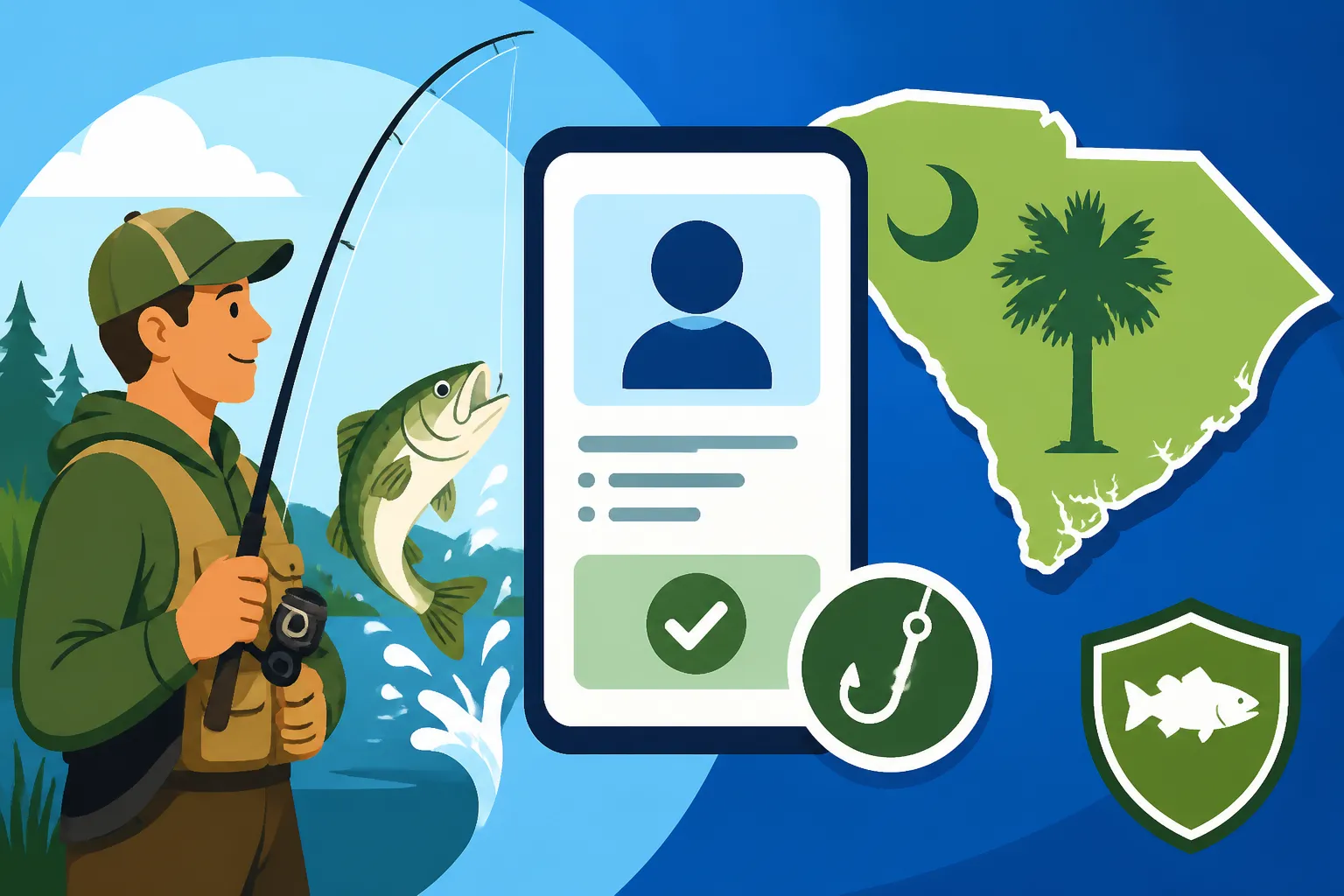
Before you can dive into selecting your ideal fishing license, you'll need to create an account. This one-time setup is crucial as it becomes your central hub for all your South Carolina hunting and fishing licenses, permits, and records. Think of it as your personal outdoor recreation ID card, digitally stored and always accessible.
First-Time User Registration Steps
Getting started on the Go Outdoors portal is straightforward, but it requires a few key pieces of information to ensure your identity is correctly linked to your license profile. To begin, you'll visit the official Go Outdoors South Carolina website. Look for a prominent "Register" or "Create Account" button. You'll then be prompted to enter essential personal details. This usually includes your full legal name, current address, date of birth, and contact information like your phone number and email address.
A critical piece of information required for South Carolina residents is typically your South Carolina driver's license number or state-issued ID. Non-residents will provide similar identifying information from their home state. It's vital to double-check every entry for accuracy. An incorrect date of birth or a misspelled name could lead to issues down the line when wardens verify your license. After entering your details, you'll create a unique username and a strong password. It's a good idea to write this down somewhere secure, or use a password manager, as forgetting it can be a minor inconvenience, though there are recovery options available, as covered in our guide on Go Outdoors Login Help for License Buyers. The system might also ask for security questions to help with future password resets. Once everything is entered and confirmed, you'll usually receive an email verification link to activate your account. Click that link, and you're ready to proceed! Our post on Setting Up an Account on Go Outdoors South Carolina provides even more detailed assistance for new users.
Managing Your Existing Account and Profile
For those who already have an account, logging in is a breeze. Simply head back to the Go Outdoors South Carolina homepage and enter your established username and password. Once logged in, your dashboard provides a comprehensive overview of your active and expired licenses, purchase history, and personal profile information.
It's a good habit to periodically review and update your personal information, especially if you've moved or changed your contact details. Ensuring your address and phone number are current means you'll receive important notifications from the SCDNR, like renewal reminders. If you ever need to change your password, there's typically a "My Profile" or "Account Settings" section where you can do so securely. Keeping your account information up-to-date helps ensure a smooth process for future purchases and renewals. This central management system means all your outdoor recreation credentials are in one convenient place, eliminating the need to search through old emails or paper records.
Navigating the License Purchase Process Online
Once your account is set up and ready to go, the actual process of buying a license is remarkably user-friendly. The portal is designed to guide you through each step, making sure you select the right license for your specific fishing adventures.
Choosing the Right Fishing License for Your Needs
South Carolina offers a variety of fishing licenses to cater to different needs, whether you're a resident or non-resident, prefer freshwater or saltwater, or need a short-term or annual option. The portal clearly presents these choices, often with brief descriptions to help you understand what each license covers.
You'll typically start by selecting whether you want a freshwater or saltwater license. For instance, if you're planning to chase largemouth bass in Lake Murray, you'll need a freshwater license. If redfish and spotted seatrout along the coast near Charleston are more your style, a saltwater license is in order. You might also consider a combination license if you plan to fish both environments, which can sometimes be more cost-effective than buying two separate licenses.
Next, you'll choose the duration. Options usually include annual licenses, which are valid for a full year from the date of purchase, or short-term licenses like the 14-day option, perfect for a quick vacation. Many anglers find the South Carolina 3-Year Fishing License Options to be a great value, saving them the hassle of annual renewals. For residents, the South Carolina Resident Freshwater Fishing License Annual Cost is quite affordable, and for visitors, there are specific South Carolina 14-Day Fishing License Options available. The portal will clearly lay out the pricing for each option. It’s important to understand the different costs; for example, the South Carolina Resident Saltwater Fishing License 14-Day Cost will differ from an annual one. Be sure to check all the options and select what makes the most sense for your planned outings.
Here’s a quick overview of common fishing license types and their typical validity periods in South Carolina:
| License Type | Residency | Water Type | Typical Duration | Notes |
|---|---|---|---|---|
| Annual Fishing License | Resident | Freshwater | 1 Year | Most common for regular freshwater anglers. |
| Annual Fishing License | Resident | Saltwater | 1 Year | Most common for regular saltwater anglers. |
| 3-Year Fishing License | Resident | Freshwater | 3 Years | Great for long-term convenience, less frequent renewal. |
| 3-Year Fishing License | Resident | Saltwater | 3 Years | Similar to 3-year freshwater, avoids annual hassle. |
| 14-Day Fishing License | Resident | Freshwater | 14 Consecutive Days | Ideal for short trips or specific events. |
| 14-Day Fishing License | Resident | Saltwater | 14 Consecutive Days | Good for quick coastal getaways. |
| Annual Fishing License | Nonresident | Freshwater | 1 Year | For out-of-state anglers frequenting SC's lakes. |
| Annual Fishing License | Nonresident | Saltwater | 1 Year | For out-of-state coastal fishing enthusiasts. |
| 7-Day Fishing License | Nonresident | Saltwater | 7 Consecutive Days | Popular for week-long beach vacations. |
| 1-Day Fishing License | Nonresident | Saltwater | 1 Day | Perfect for a single day of pier or surf fishing. |
| Combination Freshwater/Saltwater | Resident | Both | 1 Year or 3 Years | A convenient option for versatile anglers. |
Step-by-Step Purchase Walkthrough
Once you've identified the license you need, the portal makes the actual purchase seamless. You'll add your chosen license to a virtual shopping cart, much like you would on an online retail site. Before proceeding to checkout, the system will often present a summary of your order, allowing you to review your selection, ensure the details are correct, and confirm the total cost. This is a great opportunity to double-check that you haven't accidentally selected the wrong duration or water type.
When you're satisfied with your order, you'll proceed to the payment section. The Go Outdoors South Carolina portal accepts major credit and debit cards, ensuring a secure transaction. Our detailed guide on What Payment Methods Go Outdoors South Carolina Accepts can give you more specific information. You'll enter your card details, billing address, and confirm the purchase. After successful payment, the system will process your order almost instantly. You'll typically receive an immediate on-screen confirmation, and an email confirmation will be sent to the address associated with your account. This email usually includes a link to download or print your temporary license right away.
Printing Your License and Digital Alternatives
One of the best features of buying your license online is the immediate access. As soon as your purchase is complete, you'll have the option to print your license. It's always a good idea to print a physical copy and keep it with your fishing gear. This serves as a tangible proof of purchase and is readily available if a SCDNR conservation officer requests it. Many anglers laminate their paper licenses or keep them in a waterproof pouch, similar to options you might find on Amazon, to protect them from the elements out on the water.
However, in today's digital age, carrying a physical paper copy isn't always necessary. The Go Outdoors portal allows you to save a digital copy of your license to your smartphone or tablet. This means you can simply show your license on your device if requested. While conservation officers are equipped to verify licenses electronically in the field, having it readily accessible on your phone can expedite the process. Our guide on Printing Your Fishing License After Buying It Online covers all the ways you can ensure you have proof of your valid license. Plus, knowing you can easily access it digitally provides peace of mind if you accidentally leave the paper copy at home. You can even access it through a fishing app on your phone, if your state's system integrates with third-party applications, which can usually be downloaded from popular app stores like Amazon or Google Play.
Beyond Just Buying: Other Features of the Go Outdoors Portal
The Go Outdoors South Carolina portal isn't just for first-time license purchases. It's a comprehensive platform designed to manage all aspects of your outdoor recreation credentials, saving you time and hassle throughout your angling journey.
Renewing Your Fishing License Made Easy
The dread of an expired license causing a missed fishing opportunity is a common angler's nightmare. Fortunately, the Go Outdoors portal takes the pain out of renewals. When you log into your account, you'll see a clear overview of your current licenses, along with their expiration dates. As a license approaches its expiration, the system will often prompt you with an option to renew. Many users appreciate the email reminders sent out by the SCDNR, alerting them that their license is due for renewal.
The renewal process is even quicker than the initial purchase, as all your personal information is already stored. You simply select the license you wish to renew, confirm your details, and process the payment. Some states even offer an auto-renewal feature, so check if South Carolina has implemented this for ultimate convenience. Our post on South Carolina Fishing License Renewal Basics elaborates on the seamless steps involved in keeping your license current. This means no more last-minute scrambling or missing out on a prime fishing day because you forgot to renew.
Replacing Lost Licenses and Keeping Records
Losing a fishing license can feel like a disaster, especially if you're already out on the water. In the past, it might have meant a trip back home or to a vendor to get a replacement. With the Go Outdoors portal, replacing a lost or damaged license is incredibly simple. When you log into your account, you can access your purchase history. From there, you can usually reprint any active license. This feature is a lifesaver; imagine you're fishing a remote stream in the Upstate, your paper license slips into the water, but you can pull out your phone, access your account, and instantly have a digital copy to show a warden.
The portal acts as a permanent record of all your past and present licenses and permits. This historical data is invaluable for tracking your own fishing activities and ensuring compliance. It also allows you to easily verify the validity of your license. If you're ever unsure if your license is still active, you can quickly log in and How to Check If a Fishing License Is Still Valid with just a few clicks. For added protection, some anglers purchase a plastic ID card holder from online retailers like Amazon to keep their physical license safe and visible at all times.
Exploring Other Permits and Regulations
Beyond just fishing licenses, the Go Outdoors South Carolina portal is often a central hub for a wide array of outdoor recreation needs. This means you can also manage hunting licenses, special permits for specific activities, or even boat registrations, all from one consolidated account. The portal frequently provides direct links or access to important regulatory information, making it easier for you to stay informed.
For instance, while purchasing your saltwater license, you might find links to Saltwater Fishing Rules in South Carolina, or if you’re getting a freshwater license, it might direct you to South Carolina's Freshwater Fishing Regulations. This integration ensures that anglers and hunters have easy access to the most up-to-date information on bag limits, season dates, and other vital rules, promoting responsible and legal participation in South Carolina’s diverse outdoor activities. It's a comprehensive resource that truly supports the outdoor enthusiast.
Troubleshooting Common Issues and Getting Help
Even with the most user-friendly systems, sometimes things don't go exactly as planned. But don't worry, the Go Outdoors South Carolina portal has resources to help you navigate any bumps in the road.
Dealing with Login and Technical Glitches
It happens to the best of us: you're trying to log in, and suddenly your password isn't working, or you've forgotten your username entirely. The Go Outdoors portal typically has a "Forgot Password" or "Forgot Username" link right on the login page. Clicking these will guide you through a recovery process, usually involving your email address or answers to security questions you set up during registration. If you find yourself completely locked out, our guide on Go Outdoors Login Help for License Buyers provides detailed steps and contact information for further assistance.
Sometimes, technical issues aren't user-error related. If the website is slow, displaying errors, or not loading correctly, it could be a temporary server issue or a problem with your browser. Try clearing your browser's cache and cookies, or attempting to access the site from a different browser or device. While rare, these simple steps can often resolve common technical glitches.
Payment Problems and Order Confirmations
Encountering a payment issue can be frustrating, especially when you're eager to get your license. If your credit or debit card is declined, first double-check that all card details (number, expiration date, security code, and billing address) are entered correctly. Ensure you have sufficient funds or credit available. If the problem persists, contact your bank or credit card provider, as they might have placed a hold on the transaction for security reasons.
After a successful purchase, you should receive an email confirmation. If it doesn't appear in your inbox within a few minutes, check your spam or junk mail folder. If you still can't find it, log into your Go Outdoors account. Your purchase history section should display all your transactions, including the one you just made. This serves as proof of purchase and allows you to print or view your license directly from there. If you have no record of the transaction in your account and no email, then it's likely the purchase did not go through, and you should attempt it again or contact support.
Frequently Asked Questions and Support Resources
For common questions or minor issues, the first place to look is usually the "FAQ" or "Help" section on the Go Outdoors South Carolina website. This area is typically packed with answers to frequently asked questions about license types, regulations, account management, and troubleshooting. Reading through this can often provide an immediate solution without needing to contact anyone.
However, for more complex problems that can't be resolved through self-help options, the SCDNR provides dedicated customer support. This usually includes a contact phone number and an email address for their licensing department. Don't hesitate to reach out to them if you're facing persistent issues. Their staff are there to help ensure you can obtain your license smoothly and correctly, allowing you to enjoy South Carolina's natural resources without unnecessary hurdles.
Maximize Your Convenience: Tips for Using the Portal
The Go Outdoors portal is designed for ease, but a few smart habits can make your experience even smoother, ensuring you're always ready to cast a line.
Using the Mobile-Friendly Interface
In today's world, our phones are essentially extensions of ourselves, and the Go Outdoors South Carolina portal understands that. The website is designed to be fully responsive and mobile-friendly, meaning it adapts perfectly to smaller screens on smartphones and tablets. This is incredibly convenient for anglers on the go. Imagine you're at a remote fishing spot and suddenly realize you need to buy a specific permit or renew a short-term license; you can do it right there from your phone.
Having your license accessible on your mobile device is not just about convenience for purchasing, but also for proof. Instead of fumbling for a crumpled paper license, you can simply pull up the digital version on your phone if a conservation officer asks to see it. It's a modern solution for a modern angler. In fact, many serious anglers use their phones for everything from weather apps to tide charts, and having your fishing license there, perhaps even saved as a screenshot or within a dedicated fishing app (some of which you can download from app stores like Amazon), just makes sense. Our article on Can You Buy a South Carolina Fishing License on Your Phone? dives deeper into this mobile capability.
Planning Ahead for License Expirations
The easiest way to avoid the stress of an expired license is to plan ahead. While the SCDNR often sends out email reminders for renewals, it's wise to set your own personal reminders. Mark your calendar, set a recurring alert on your phone, or even make a note in your fishing journal to check your license expiration date a month or two before it's due.
Consider investing in a multi-year option, like the South Carolina 3-Year Fishing License Options, if you're a frequent angler. This significantly reduces the frequency of renewals and the chances of forgetting. Regularly checking your license status on the Go Outdoors portal is a good habit. Being proactive not only ensures uninterrupted fishing access but also helps you avoid potential Penalties for Fishing Without a License in South Carolina, which can include fines and other legal repercussions. A little foresight goes a long way in ensuring your time on the water is stress-free and enjoyable.
Disclaimer
The information provided in this guide is intended for general informational purposes only and may not reflect the most current regulations or license costs. Fishing regulations and license requirements in South Carolina can change. It is always the angler's responsibility to consult the official South Carolina Department of Natural Resources (SCDNR) website or contact them directly for the most up-to-date and accurate information before engaging in any fishing activities.